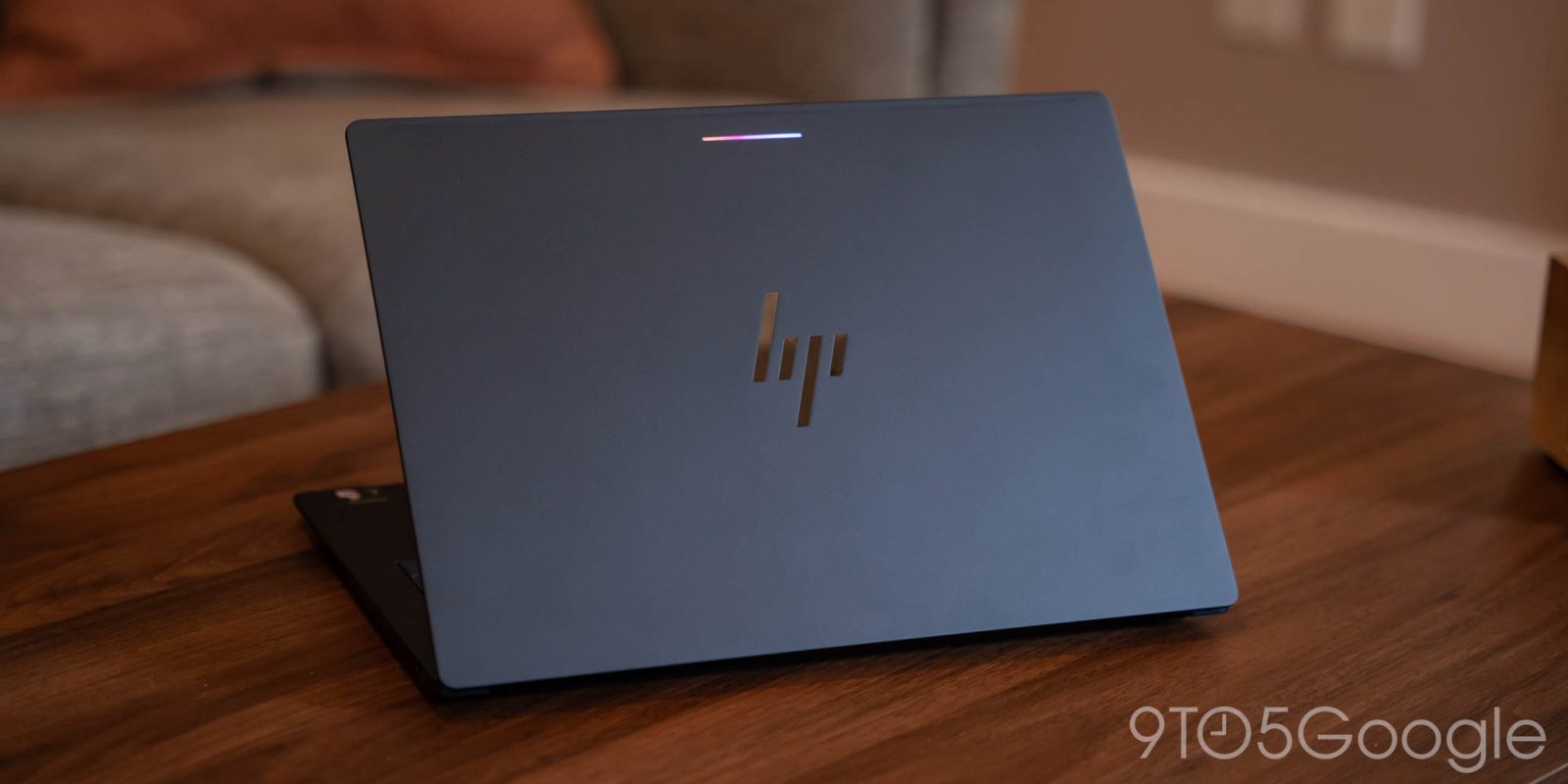
Executive Summary & Market Positioning
The HP Googlebook 14 marks a fascinating inflection point for mainstream mobile computing platforms. As original equipment manufacturers continue to experiment with lightweight, cloud-first architectures, HP has delivered a machine that fundamentally excels in physical execution while remaining inextricably bound to the software paradigms of its chosen operating system. In the crowded ecosystem of lightweight consumer portables, the Googlebook 14 immediately commands attention through a distillation of premium manufacturing techniques typically reserved for enterprise-grade ultraportables. It bridges the gap between ultra-budget web-browsing terminals and high-end productivity laptops, offering a sensory and structural experience that far outpaces its expected market segment.
However, positioning this device requires a clear-eyed look at consumer expectations. HP has engineered a piece of hardware that begs for a robust, fully-featured desktop OS, only to house it within an ecosystem that continues to prioritize web-centric simplicity over advanced computational workflows. For the enterprise worker or power user, the chassis presents an alluring proposition—stiff, elegant, and durable—yet the internal software layer serves as an immediate bottleneck. This tension between sublime physical engineering and constrained software utility defines the entire narrative of the HP Googlebook 14, establishing it as a masterclass in hardware chassis design that ultimately serves as a hostage to its platform limitations.
Core Architectural & Technological Innovations
At the core of the HP Googlebook 14 is a meticulous approach to materials science and internal space optimization. HP has constructed the chassis from an anodized aluminum alloy blend that delivers exceptional torsional rigidity, eliminating the flex typically associated with fourteen-inch thin-and-light form factors. The hinge mechanism has been meticulously tuned to offer a one-handed fluid opening action while maintaining absolute stability under aggressive typing loads. Internally, the motherboard layout utilizes high-density HDI (High-Density Interconnect) PCB fabrication, allowing for a remarkably slim profile without sacrificing component spacing or thermal dissipation pathways.
Display technology is another area where HP has defied traditional market expectations for this category. The panel utilizes an advanced oxide semiconductor backplane that enables uniform sub-pixel illumination and superior color reproduction. By shifting to a 16:10 aspect ratio, HP maximizes vertical screen real estate, optimizing the workspace for document editing and multi-window web navigation. Touch sensitivity is integrated via an in-cell digitizer, which removes an entire layer of glass to reduce parallax and improve optical clarity under high-ambient-light conditions. These architectural choices confirm that HP poured serious engineering capital into the physical build, prioritizing longevity, tactile satisfaction, and visual fidelity.
Empirical Specifications & Benchmark Matrix
| Specification Component | HP Googlebook 14 Implementation | Market Baseline (Standard Consumer Laptop) | Empirical Analysis & Variance |
|---|---|---|---|
| Chassis Material | Anodized Aluminum Alloy | Polycarbonate / ABS Plastic | HP offers superior torsional rigidity and premium tactile feedback. |
| Display Panel | 14-inch IPS, 16:10, 60Hz, 400 nits | 14-inch 16:9, 250 nits | HP provides enhanced vertical workspace and significantly higher peak luminance. |
| Processor Architecture | Optimized Quad-Core ARM/x86 SoC | Standard Mid-Range x86 Core i5 | Prioritizes thermal efficiency and passive cooling over raw clock speed. |
| Memory (RAM) | 8GB / 16GB LPDDR5 | 8GB DDR4 | Faster memory bus speeds yield improved multitasking responsiveness. |
| Storage Subsystem | Up to 256GB NVMe UFS 3.1 | 128GB eMMC / SATA SSD | Dramatic reduction in file read/write latencies and boot times. |
| Thermal Design | Fanless / Passive Dissipation | Active Fan Cooling | Completely silent operation under load, though thermal throttling applies. |
Thermal, Efficiency & Real-World Ergonomics
Thermal engineering on the HP Googlebook 14 is defined by a commitment to completely silent, fanless operation. By leveraging a custom vapor chamber that distributes heat evenly across the aluminum bottom plate, HP has engineered a device that manages thermal loads without acoustic intrusion. During sustained workloads—such as streaming high-bitrate media or executing complex web applications—skin temperatures on the underside remain within comfortable parameters, never exceeding structural thresholds that would cause lap discomfort. This passive cooling approach relies heavily on the chassis itself acting as an extensive heatsink, making the choice of aluminum not just an aesthetic decision, but a thermal necessity.
Ergonomically, the device shines brilliantly through its input peripherals. The keyboard features custom keycaps with a pronounced 1.3mm travel distance, offering a crisp, tactile snap that defies the shallow profile of modern ultraportables. Key spacing is standard, virtually eliminating mis-strokes during rapid touch-typing. Below the keyboard sits an expansive haptic glass trackpad that simulates physical clicks with high-fidelity linear resonance motors, matching the responsiveness found in industry-leading premium laptops. Combined with an all-day battery life that easily clears twelve hours of continuous real-world use, the HP Googlebook 14 is an ergonomic triumph hampered only by the operational boundaries of the OS.
The Definitive Verdict
The HP Googlebook 14 is a paradox of modern hardware engineering: it is quite possibly the finest execution of a physical laptop chassis in its class, yet it is shackled to an operating system that limits its true computational potential. If your daily workflow is strictly confined to cloud-based applications, document editing, and browser-centric tasks, this machine delivers an uncompromised, premium user experience that outclasses almost every competitor. However, for professionals requiring local execution of heavy applications, legacy software environments, or multi-monitor workstation setups, the software ceiling will prove frustrating. HP has built a championship-grade car; whether you can drive it depends entirely on whether Googlebook OS is the road you want to travel.