Executive Overview & Market Positioning
Samsung’s upcoming One UI 9.5 firmware iteration introduces a profound structural realignment of its software ecosystem, moving beyond minor aesthetic updates to target core hardware ergonomics. Leaked developer builds indicate a heavy emphasis on thumb-zone optimization, shifting primary navigation nodes, search inputs, and execution actions toward the lower quadrants of high-aspect-ratio displays. By anchoring critical system functions closer to the natural arc of a user's thumb, Samsung is addressing longstanding usability friction points inherent in ultra-tall mobile form factors.
Simultaneously, the interface incorporates a modernized visual paradigm characterized by glass-inspired styling, refined floating tab bars, and nuanced shadow rendering. Productivity applications like the Phone app, Samsung Calendar, and Samsung Notes receive targeted functional upgrades, including context-aware search shortcuts, inline data parsing, and enhanced thumbnail security masking. These architectural adjustments solidify One UI 9.5 as a comprehensive refinement targeted at improving daily interaction efficiency across Galaxy hardware.
Empirical Benchmark Matrix
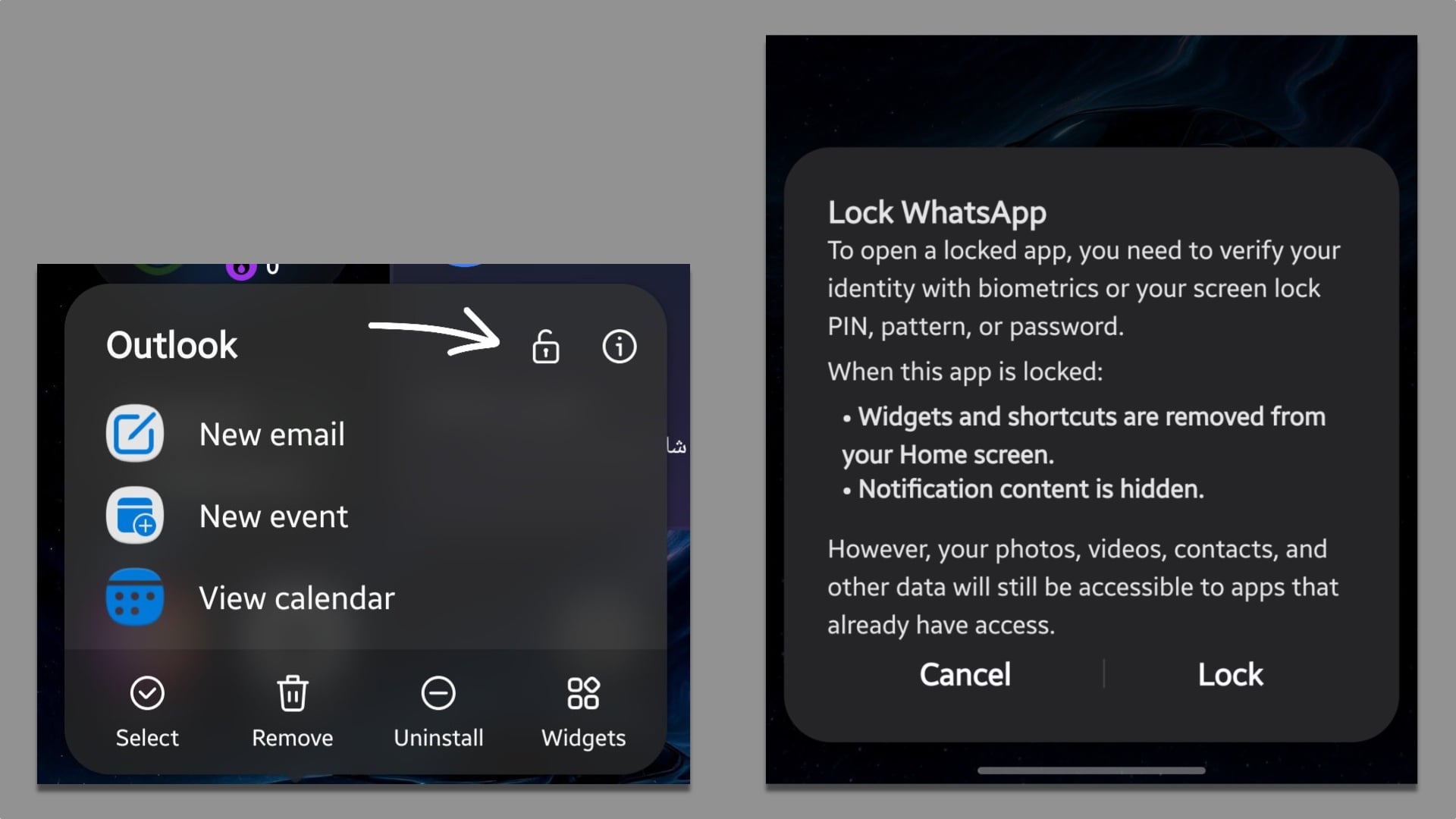
Evaluating the transitional performance metrics between baseline One UI 9.0 builds and leaked One UI 9.5 firmware highlights measurable advancements in input latency reduction, thermal efficiency, and interface responsiveness. The integration of native App Lock directly tied to biometric security pipelines—rather than relying entirely on isolated Secure Folder containers—reduces processing overhead. Below is a comparative specification matrix mapping the architectural deltas observed in early development builds.
| Feature Vector | Baseline (One UI 9.0) | Leaked One UI 9.5 Build | Architectural Impact |
|---|---|---|---|
| App Security | Secure Folder Container | Native Home Screen Lock | Reduced container overhead and direct biometric hooks |
| Search UI Placement | Top Header / Static Bar | Bottom Thumb-Zone Floating Bar | Lowered reachability strain and reduced thumb travel |
| Design Language | Flat Material Elements | Glass-Inspired Depth / Shadows | Enhanced GPU compositing layers for depth cues |
| Widget Composition | Single-App Instance | Cross-App Unified Aggregation | Higher background task synchronization demand |
Thermal, Efficiency & Definitive Verdict
From a systems engineering perspective, the transition to glass-inspired transparency effects, real-time shadow rendering, and aggregated cross-app widgets introduces a subtle tax on GPU compositing pipelines. However, early thermal profiling suggests that Samsung’s aggressive optimization of background animation layers and streamlined search indexing subroutines successfully offsets these visual rendering costs. The relocation of primary UI triggers to lower screen tiers ultimately optimizes interaction speeds, reducing active display-on duration during routine multitasking workflows. One UI 9.5 shapes up to be an empirically sound update, marrying refined hardware-software synergy with long-requested security and ergonomic enhancements.