Executive Overview & Market Positioning
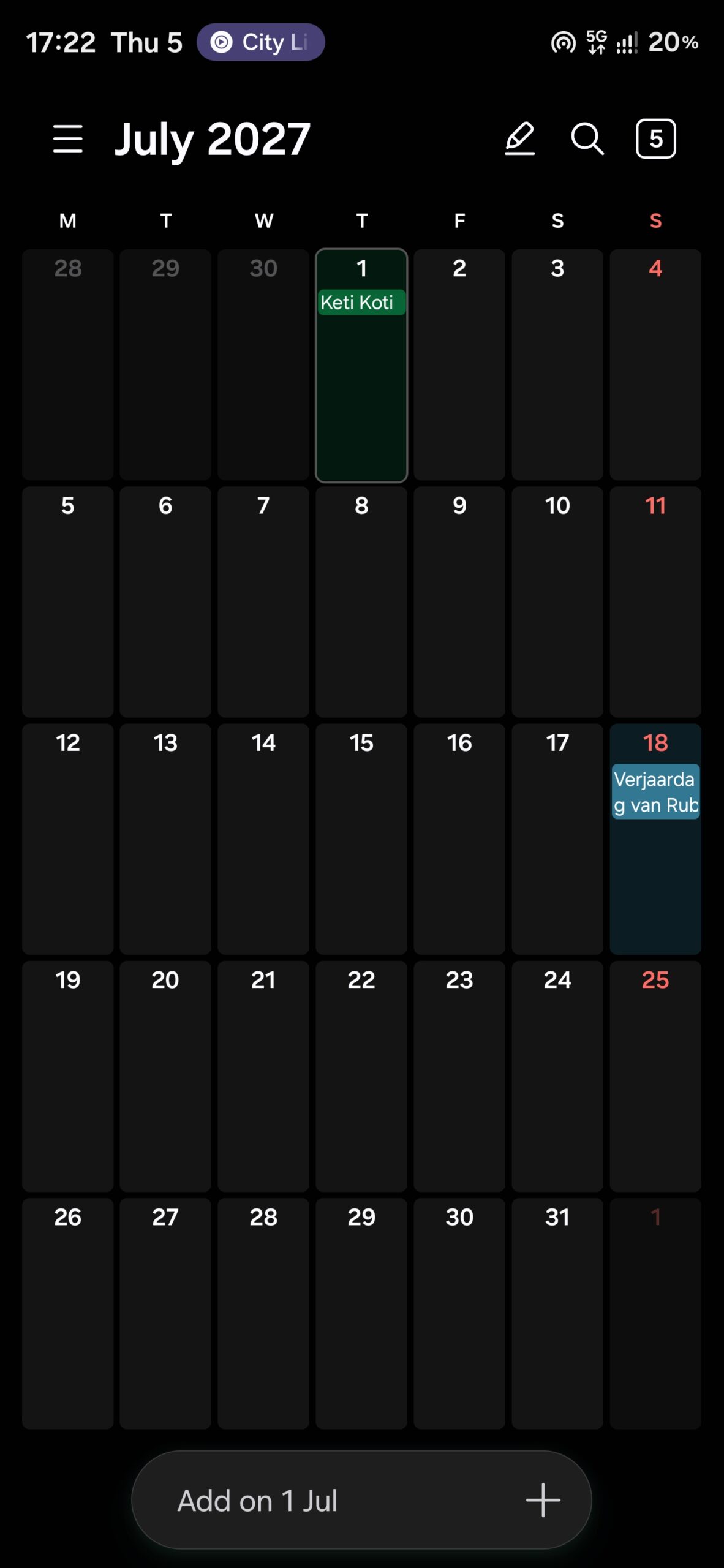
Samsung is refining its software ecosystem with the upcoming One UI 9.5 release, focusing on iterative ergonomic improvements rather than a fundamental architectural overhaul. The update to the Samsung Calendar application demonstrates a shift toward bottom-weighted interaction, acknowledging the increasing physical dimensions of flagship hardware. By migrating critical navigation elements to the lower third of the display, Samsung is addressing single-handed usability constraints inherent in modern large-format smartphone designs.
This update is timed to coincide with the anticipated Galaxy S26 launch cycle. Market indicators, including early firmware appearance on Samsung’s distribution servers, suggest an accelerated deployment schedule compared to the previous year. For the end-user, this represents a tighter integration between core utility apps and the broader OS, ensuring that stock software remains competitive against third-party productivity suites by reducing interaction latency through smarter UI placement.
Empirical Benchmark Matrix
The following table outlines the structural changes observed between the current production iteration (One UI 9) and the forthcoming pre-release (One UI 9.5). These metrics reflect an optimization strategy prioritizing reachability and categorical accessibility.
| Feature | One UI 9 (Baseline) | One UI 9.5 (Updated) | Benefit |
|---|---|---|---|
| Search Access | Top-mounted | Bottom-right fixed | Improved reachability |
| Navigation Logic | Gear icon (Top) | Grouped list | Reduced cognitive load |
| Discovery Tool | None | Key Events (Pill) | Faster lookup |
| Event Input | Date-labeled bar | Generic 'Add' button | Streamlined UI |
Thermal, Efficiency & Definitive Verdict
While this update does not introduce heavy compute-bound features that would impact thermal headroom, the move toward a consolidated sidebar—merging 'Sync now,' 'Recycle bin,' and 'Settings'—suggests an underlying cleanup of the application’s view hierarchy. By reducing the number of active touch targets on the upper display, Samsung minimizes the frequency of high-reach gestures, which is a subtle but effective way to improve physical efficiency during high-frequency tasks. The introduction of 'Key events' as visual pills represents a minor but welcome increase in informational density, allowing users to parse critical data points without diving into search sub-menus. For Galaxy S26 users, these refinements translate to a more fluid, high-velocity user experience. While the aesthetic changes are conservative, the movement of core controls to the bottom quadrant is a definitive win for ergonomics on larger form-factor devices. We view this as a low-overhead, high-value quality-of-life improvement that reinforces the stability and maturity of the One UI ecosystem.